Grunge Vector Circular Pattern Textures: How to Use Them Right
What Are Grunge Vector Circular Pattern Textures?
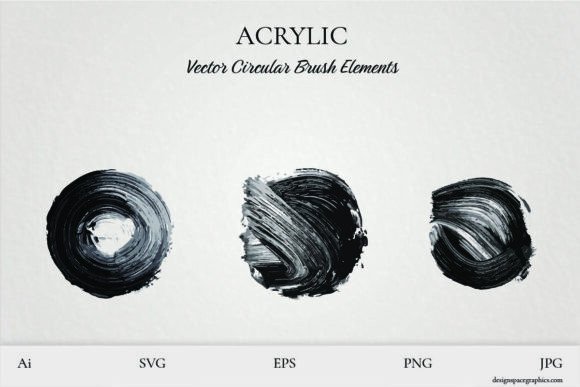
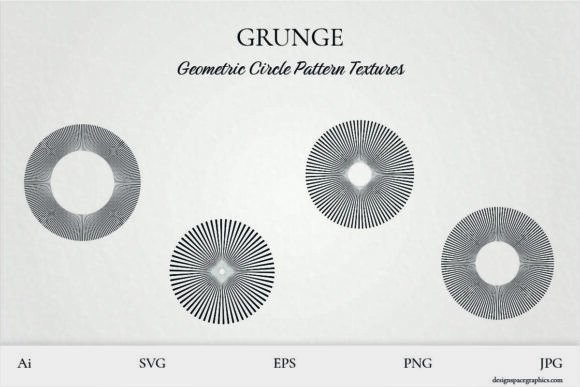
Grunge Vector Circular Pattern Textures are digital design elements that bring a raw, urban edge to your creative projects. Whether you're working on t-shirt prints, wall art, or digital graphics, these textures offer a distressed, layered look that adds depth and character. Being vector-based means they scale without losing quality—perfect for both small and large-scale applications.
Designers love them for their versatility. They can act as background elements, focal points, or even custom brush bases. With formats like AI, EPS, SVG, JPG, and PNG included, they’re compatible with a wide range of software—from Adobe Illustrator to cutting machines.
1. Overlooking File Format Compatibility
One of the most common issues is assuming all file formats work the same way in every design tool. For example, SVG files are great for web use and vector editing, but may not import correctly into certain cutting machines. On the other hand, JPG and PNG are raster formats, so they can lose quality when scaled up.
Better approach: Check your software or machine requirements before downloading. Use AI or EPS for high-quality print work, SVG for digital and responsive design, and PNG when you need transparency.
2. Misusing Vector Files for the Wrong Purpose
Vectors are scalable, but not all projects need that flexibility. For instance, using a vector file for a small sticker might be overkill when a high-res PNG would suffice. Conversely, using a PNG for a large poster can result in pixelation.
Better approach: Match the file type to the project. Vectors are ideal for large prints or anything that may need resizing later. Raster files are fine for small-scale digital use or when vector support isn't available.
3. Ignoring Texture Layering Limits
Layering multiple grunge textures can give depth, but too many can clutter a design. It’s easy to fall into the trap of adding more textures thinking it will enhance the grunge look—only to end up with a muddy, unreadable result.
Better approach: Start with one or two textures and adjust blending modes and opacity. Overlay, Soft Light, and Multiply are often the most effective. Test your design at actual print size or final display resolution to ensure clarity.
4. Assuming All Grunge Looks Are the Same
Not all grunge textures are created equal. Some have a more organic, hand-drawn feel, while others lean geometric or mechanical. Choosing the wrong style can clash with your overall design theme—like using a rough scribble texture on a minimalist logo.
Better approach: Preview each texture in context. If you're designing for a high-end brand, opt for subtler textures. For streetwear or punk-inspired designs, go bold. Always test how the texture interacts with color, typography, and other design elements.
What to Check Before Downloading or Buying
Before you commit to a set of Grunge Vector Circular Pattern Textures, make sure you're getting what you need. Here’s what to look for:
- File Formats: Confirm that the download includes AI, EPS, SVG, and PNG for maximum flexibility.
- License Type: Know whether it's for personal, commercial, or extended use. Some textures may not be allowed in resale products without an extended license.
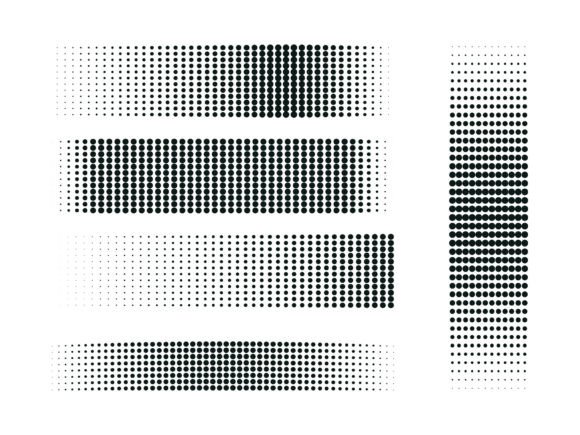
- Texture Variety: Look for a mix of density and pattern. Some may be more worn, others more geometric—having options helps with versatility.
- Preview Quality: Don’t rely on thumbnails. Zoom in to see how the texture holds up at higher resolution and check for any visible artifacts or compression issues.
Practical Uses and How to Get the Most From Them
These textures shine when used thoughtfully. Here are a few real-world applications and tips to make the most of them:
- T-shirt Design: Use a circular grunge texture as a background or around a central graphic. Try clipping it to a shape or using it as a mask for a distressed logo effect.
- Custom Brushes: Import the texture into Photoshop or Illustrator and convert it into a brush. This works well for creating hand-drawn strokes or worn edges.
- Wall Art Prints: Layer multiple textures with geometric or abstract shapes to create a dynamic, textured poster or canvas print.
- Digital Graphics: Apply textures over flat colors or illustrations to add depth. Use blending modes to integrate them without overpowering the main design.
Final Thoughts
Grunge Vector Circular Pattern Textures are a powerful tool when used correctly. Their flexibility, scalability, and raw aesthetic make them a go-to for designers across many mediums. But like any tool, they require understanding to use effectively.
By avoiding common pitfalls—like mismatched file formats, over-layering, or poor texture selection—you’ll ensure your designs look intentional and professional. Always test your textures in context, understand your project’s needs, and choose quality over quantity when selecting a texture pack.
When applied with care, these textures can elevate your work from flat and generic to bold, expressive, and uniquely yours.